The interface
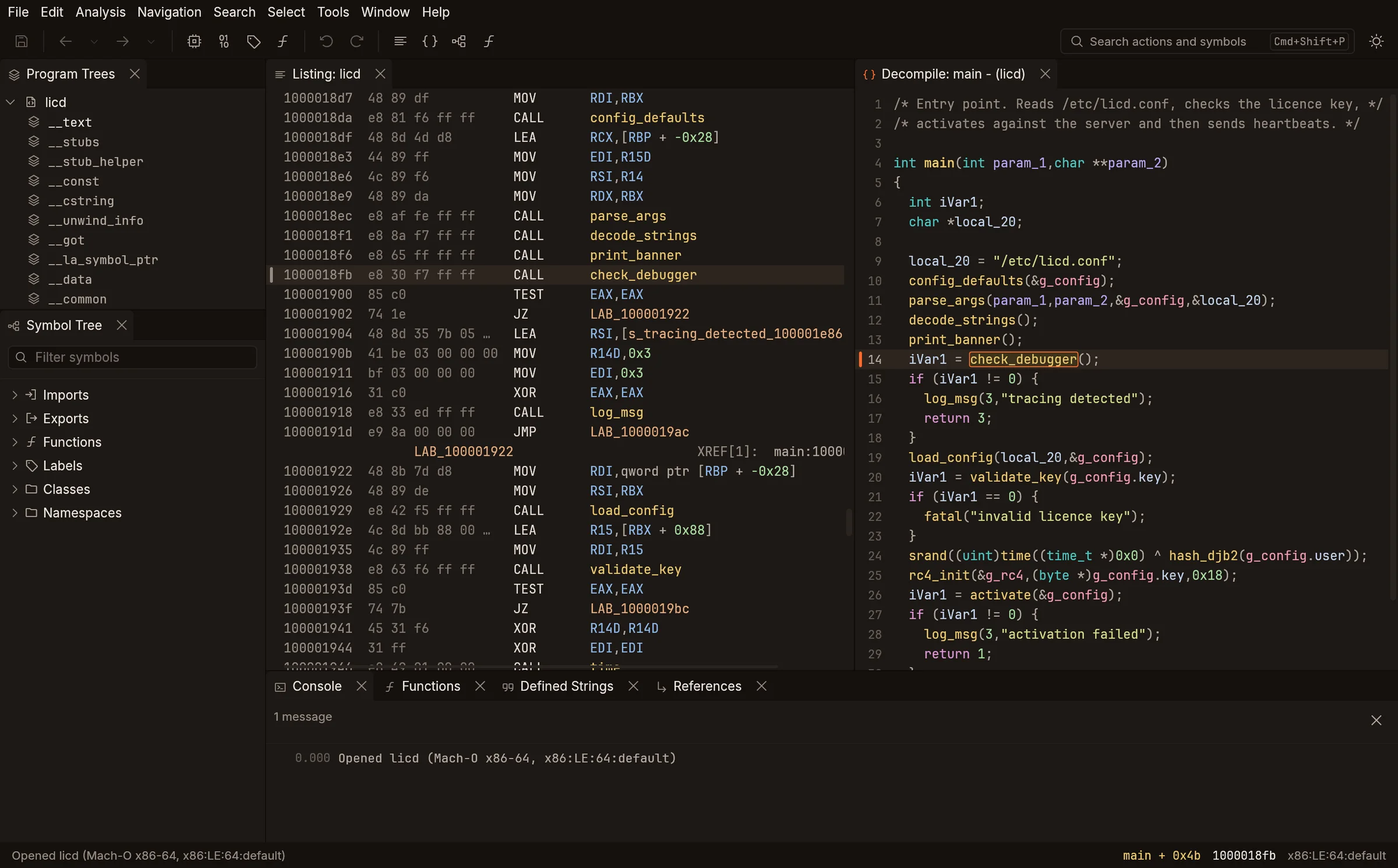
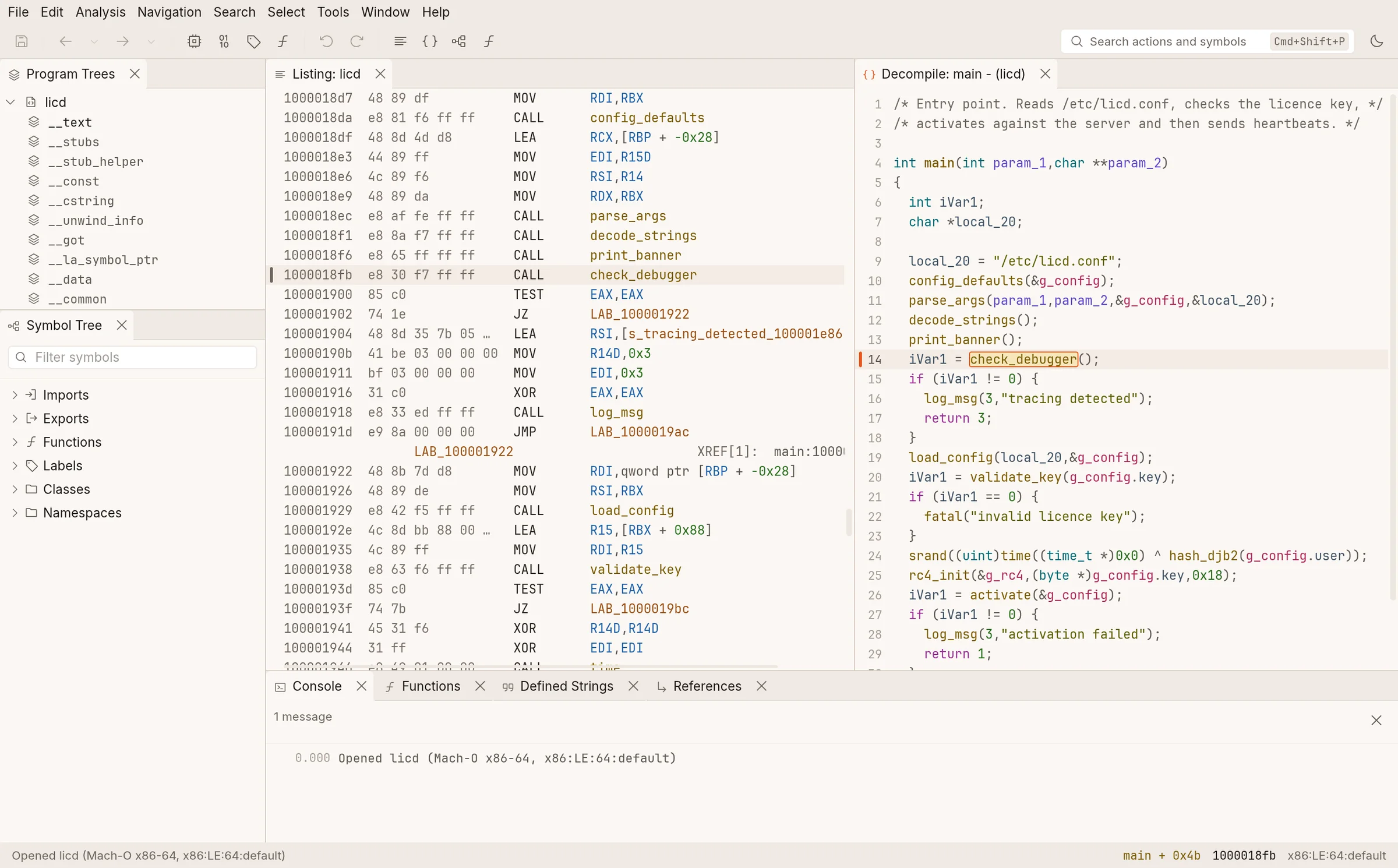
Basilisk’s interface is designed to feel like Ghidra to someone who knows Ghidra: the same windows in the same places, Ghidra’s window and action names, its menus, its right-click menus and its default key bindings. What changes is how it looks and feels — type, colour, spacing, legibility, responsiveness — plus additions that sit beside the Ghidra way, never instead of it.
The default arrangement
Section titled “The default arrangement”Program Trees above the Symbol Tree on the left, the Listing in the centre, the Decompiler on the right and the Console at the bottom — Ghidra’s places. Functions, Defined Strings and References open as tabs beside the Console. Every pane can be dragged to stack or split, resized, closed and reopened from the Window menu, or popped out into its own window; the layout is saved between runs.
Each view will have its own page in this section.
| View | Today |
|---|---|
| Listing | On demo data |
| Decompiler | On demo data |
| Symbol Tree, Program Trees | On demo data |
| Functions, Defined Strings, References | On demo data |
| Console | Yes |
| Search, Go To, command palette | On demo data |
| Data Type Manager, Function Graph, Bookmarks, Memory Map, Byte Viewer | Planned (M7) |
Additions to Ghidra’s interface
Section titled “Additions to Ghidra’s interface”- Command palette (Ctrl+Shift+P): every action and every location in one fuzzy-matched list.
- Go To is fuzzy and live: matches appear as you type.
- Enter follows the reference under the cursor; double-click still does.
- Hover preview of a name’s target in both the Listing and the Decompiler.
- Native pop-out windows for any pane, and a first-class light theme.